
What Is YouTube Automation? A Complete Beginner’s Guide to Passive Income

With over 2 billion monthly users, YouTube offers huge opportunities. Many entrepreneurs are using automation to create passive income streams. The idea is simple: build a niche channel, hire freelancers, monetize through ads, and scale multiple channels.
But automation doesn’t mean “no work.” It requires planning, strategy, and smart management. If done correctly, it can become a powerful online business model. Let’s explore how it really works.
From scripting and voiceovers to editing and uploading, everything can be outsourced or streamlined. But is it truly passive income? Or is there more effort involved than people admit? In this guide, you’ll discover how YouTube automation works, what tools you need, the benefits, risks, and whether it’s the right opportunity for you.

In today’s digital world, content creation has become one of the most powerful income sources. Among all platforms, YouTube stands out because of its massive audience and monetization options. However, not everyone feels comfortable appearing on camera. That’s where YouTube automation comes in.
YouTube automation is a method of running a YouTube channel by outsourcing or automating most tasks involved in video production and management. Instead of personally creating every piece of content, you build a system that handles it efficiently.
This approach focuses on working on the channel, not in the channel.
What Is YouTube Automation?
YouTube automation is a business model where you create and manage a YouTube channel by outsourcing tasks such as:
- Script writing
- Voiceovers
- Video editing
- Thumbnail design
- Uploading and SEO optimization
Instead of being the content creator, you act as the channel owner and strategist.
The goal is to create a streamlined process that produces content consistently without requiring your constant involvement.
How YouTube Automation Works
YouTube automation works by creating a structured system where the channel owner manages the strategy while outsourced professionals handle content production. Instead of filming and editing videos personally, you focus on building a workflow that runs efficiently.
First, you choose a profitable niche with good search demand and advertiser value. Then, you conduct keyword research to find trending topics. A hired scriptwriter prepares engaging scripts based on those topics. Next, a voiceover artist records the narration, and a video editor combines visuals, background music, and effects to create a professional video.
After production, you optimize the video with a strong SEO title, description, and tags, and design an eye-catching thumbnail to increase click-through rate. Once uploaded, the video can generate revenue through AdSense ads, affiliate links, or sponsorships.
The key to success is consistency, quality control, and analyzing performance through YouTube analytics. While automation reduces hands-on work, strategic planning and management remain essential for long-term growth.
1. Choosing a Profitable Niche
Success starts with selecting the right niche. Popular automation niches include:
- Finance
- Technology
- Motivation
- Celebrity news
- Facts and top 10 videos
- High search volume
- Strong advertiser demand
- Low to medium competition
2. Content Production System
Once the niche is selected, you build a system:
- Hire a scriptwriter
- Hire a voiceover artist
- Hire a video editor
- Design clickable thumbnails
Platforms like freelance marketplaces make outsourcing easier than ever.
3. Monetization Strategy
After reaching 1,000 subscribers and 4,000 watch hours, you can apply for YouTube monetization. Revenue sources include:
- AdSense revenue
- Affiliate marketing
- Sponsorships
- Digital products
- Channel memberships
Benefits of YouTube Automation
1. No Need to Show Your Face
Perfect for people who value privacy.
2. Scalability
You can run multiple channels at once.
3. Passive Income Potential
Once videos rank, they can earn for years.
4. Location Independence
You can manage everything from anywhere.

Challenges of YouTube Automation
1. Initial Investment
You may need money to hire freelancers.
2. Content Quality Risk
Poor outsourcing can damage channel growth.
3. Algorithm Changes
YouTube updates can affect revenue.
4. Not Truly 100% Passive
Management and strategy are always required.
Tools Used in YouTube Automation
Common tools include:
- Keyword research tools
- AI writing assistants
- Video editing software
- Thumbnail design tools
- Analytics dashboards
Automation becomes easier when you combine the right tools with skilled freelancers.
Is YouTube Automation Legal?
Yes, YouTube automation is legal, but it must follow YouTube’s policies. Avoid:
- Reused content
- Copyright violations
- Spammy uploads
Original content and proper licensing are essential.
How Much Can You Earn?
Income varies depending on:
- Niche
- CPM (Cost Per 1,000 views)
- Audience location
- Consistency
Some channels earn a few hundred dollars monthly, while others generate thousands. Success depends on strategy and patience.
Keyword Research Tools for YouTube Automation
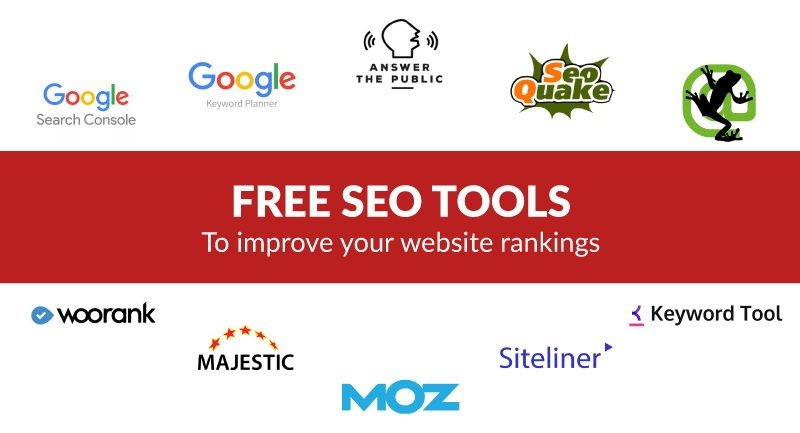
Keyword research is a crucial step in YouTube automation because it helps you discover what your audience is searching for and which topics have high potential for views and growth. Using the right tools can make your channel more discoverable and increase your organic traffic

Top Keyword Research Tools
- Google Trends
Shows trending search topics and compares keyword popularity over time. Great for spotting rising niches. - YouTube Search Suggest
Free and easy type a keyword into YouTube and see auto-suggested phrases based on real user searches. - TubeBuddy
A browser extension that finds keywords, analyzes competition, and suggests tags to optimize your videos. - VidIQ
Offers keyword scores, search volumes, and competition insights to help you pick high-impact topics. - Ahrefs (YouTube Keyword Tool)
A powerful SEO platform that provides detailed keyword metrics specifically tailored for YouTube searches. - KeywordTool.io
Generates long-tail keyword ideas from YouTube autocomplete data for titles, descriptions, and tags.
Using a combination of these tools helps you identify high-demand, low-competition keywords that boost visibility, increase watch time, and improve your channel’s growth prospects.
AI Writing Assistants for YouTube Automation
AI writing assistants are powerful tools that help streamline content creation by generating scripts, video descriptions, outlines, and ideas quickly and efficiently. These tools save time, reduce effort, and help maintain consistent quality — especially useful when running multiple automated YouTube channels.
Top AI Writing Assistants
- ChatGPT
Generates engaging scripts, video outlines, topic ideas, and description templates tailored to your niche. - Jasper AI
Focuses on marketing content and creative writing, ideal for script creation and title optimization. - Writesonic
Produces scripts, hooks, and SEO-friendly descriptions with customizable tones and formats. - Rytr
A budget-friendly AI tool that creates concise and coherent video scripts and content ideas. - Copy.ai
Great for brainstorming titles, video concepts, and catchy descriptions to improve engagement. - Peppertype.ai
Offers AI-generated content with industry-based templates for structured scripts.
Benefits of Using AI Writing Tools
- Faster script generation
- Consistent tone and style
- Easy content idea discovery
- Reduces reliance on human writers
By combining AI writing assistants with human editing, you can produce high-quality YouTube content more efficiently and scale your automation efforts with confidence.
Video Editing Software for YouTube Automation
Video editing software is essential in YouTube automation because it transforms raw clips, images, and audio into professional, engaging videos that attract viewers and keep them watching. Choosing the right tools can increase productivity, improve content quality, and help scale multiple channels smoothly.
Top Video Editing Software
- Adobe Premiere Pro
Industry-standard editor with powerful features, advanced color tools, and timeline precision. - Final Cut Pro
A fast and professional editor for Mac users with smooth performance and intuitive design. - DaVinci Resolve
Free & professional software with top-tier color grading and editing capabilities. - Filmora
User-friendly, beginner-friendly editor with drag-and-drop features and built-in effects. - Camtasia
Great for screen recordings, tutorials, and simple editing workflows. - CapCut
Mobile-friendly and easy-to-use editor ideal for short-form and quick edits.
Benefits of Using Video Editors
- Clean cuts and transitions
- Enhanced audio and color quality
- Custom text, effects, and branding
- Faster collaboration with editors
Whether you hire a freelancer or edit yourself, these tools make it easier to produce polished videos that boost watch time and help your channel grow consistently.
Thumbnail Design Tools for YouTube Automation
Thumbnails are one of the most important factors in driving clicks on YouTube. A compelling thumbnail can significantly boost your click-through rate (CTR) and increase overall views. Using the right thumbnail design tools makes it easier to create eye-catching visuals that stand out in search results and suggested videos.
Top Thumbnail Design Tools
- Canva
Intuitive drag-and-drop editor with ready-made YouTube thumbnail templates. - Adobe Photoshop
Professional graphic design software with full control over images, text, and effects. - Fotor
Simple online tool with templates, stickers, and easy editing features. - PicMonkey
Offers photo editing, graphics, and text tools tailored for YouTube thumbnails. - Snappa
Quick and beginner-friendly tool with customizable thumbnail presets. - Crello (now VistaCreate)
Similar to Canva, with lots of templates and graphic elements.
Benefits of Using Thumbnail Tools
- Eye-catching visuals
- Branded and consistent design
- Faster production workflow
- Better CTR and viewer engagement
Good thumbnails tell a story at a glance, spark curiosity, and make viewers want to click — crucial for successful automation channels.
Thumbnail Design Tools for YouTube Automation
Creating high-converting thumbnails is essential in YouTube automation because thumbnails grab attention and boost click-through rates (CTR). Great design makes your videos stand out among countless others and drives more traffic to your content. Using the right tools lets you craft professional, eye-catching thumbnails quickly even without advanced design skills.
Top Thumbnail Design Tools
- Canva
Easy drag-and-drop editor with ready-made YouTube thumbnail templates. - Adobe Photoshop
Professional editing power for custom thumbnails and precise design control. - Fotor
Simple online tool with effects, templates, and quick editing options. - PicMonkey
User-friendly tool for photo editing, graphics, and text styling. - Snappa
Quick thumbnail creator with prebuilt sizes and design elements. - VistaCreate (formerly Crello)
Similar to Canva lots of templates and animated features.
Why These Tools Matter
Using quality thumbnail design tools helps you make visuals that:
- Increase CTR
- Build strong brand identity
- Improve viewer engagement
- Speed up your workflow
A well-designed thumbnail can be the difference between a viewer clicking your video or scrolling past it. Good design combined with optimized keywords improves your overall YouTube automation success.
Analytics Dashboards for YouTube Automation
Analytics dashboards are vital tools in YouTube automation because they help you track performance, understand viewer behavior, and make data-driven decisions to grow your channel. Instead of guessing what works, analytics give you real insights into watch time, engagement, traffic sources, and revenue helping you optimize every video for better results.
Top Analytics Dashboards
- YouTube Studio Analytics
The official dashboard showing views, watch time, audience retention, demographics, and earnings. - TubeBuddy
Offers keyword scores, tag performance, competitor data, and optimization suggestions. - VidIQ
Provides detailed insights on trending topics, keyword scores, view predictions, and channel comparisons. - Social Blade
Tracks growth trends, estimated earnings, and historical data across channels. - Google Analytics
Connects with YouTube to analyze traffic sources and viewer behavior on linked sites. - Morningfame
Helps optimize titles, thumbnails, and upload timing based on analytics insights.
Why Analytics Dashboards Matter
Using analytics helps you:
- Identify top-performing content
- Spot audience patterns
- Improve SEO and thumbnails
- Increase watch time and revenue
Analytics turn raw data into actionable strategies that fuel growth and make automation smarter not guesswork.
FAQs
What is YouTube automation in simple words?
It is outsourcing video creation and managing the channel system.
Do I need to show my face?
No, face-less content works well in many niches.
Is YouTube automation passive income?
It can be semi-passive but needs management.
How much money is required to start?
You can start low budget but scaling needs funds.
Is YouTube automation risky?
Risk exists if content violates policies.
Conclusion
YouTube automation is not a magic shortcut, but it is a powerful online business model when done correctly. Instead of becoming a full-time content creator, you become a digital entrepreneur who builds systems, manages talent, and focuses on growth. The key to success lies in choosing the right niche, maintaining high-quality content, and understanding YouTube’s algorithm and monetization rules.
While many people promote it as effortless passive income, the truth is that automation still requires planning, investment, and consistent oversight. However, once your systems are in place and your videos start ranking, the income potential can become steady and scalable.
If you are serious about building a long-term digital asset, YouTube automation can be a smart opportunity. With patience, smart outsourcing, and continuous learning, it can turn into a reliable source of sustainable online income.